Unlocking the Power of Instagram's Edit Profile Screen: A Comprehensive Guide
The Instagram edit profile screen is a powerful tool that allows users to showcase their personality, brand, and style to their audience. With its various features and options, it can be overwhelming to navigate, especially for those who are new to the platform. In this article, we will break down the different components of the edit profile screen and provide tips on how to make the most out of it. ## 1. Profile Picture The profile picture is the first thing people see when they visit your profile, so it's essential to make a good impression. Choose a high-quality image that represents you or your brand, and make sure it's recognizable even in smaller sizes. You can also use the built-in editing tools to adjust the brightness, contrast, and saturation of your profile picture to make it stand out. ## 2. Username Your username is your unique identifier on Instagram, and it's what people will use to find and tag you. Choose a username that's easy to remember, easy to spell, and relevant to your brand or personality. If you're a business, consider using your brand name or a variation of it. If you're an individual, you can use your name or a nickname. ## 3. Bio The bio section is where you can tell your story and give your audience a glimpse into who you are and what you're about. Keep your bio concise and engaging, and use relevant keywords to help people find you. You can also include a call-to-action, such as a link to your website or a prompt to DM you. ## 4. Website Link The website link is a valuable resource that allows you to drive traffic to your website or other social media platforms. Make sure to include a link that's relevant to your brand or business, and use a link-in-bio tool to track clicks and analytics. ## 5. Contact Information The contact information section is where you can add your email address, phone number, or other contact details. This is useful for businesses or individuals who want to make it easy for their audience to get in touch with them. Make sure to include a contact method that's convenient for you and your audience. ## 6. Category The category section is where you can choose a category that best describes your profile. This can be useful for businesses or individuals who want to be discovered by people who are interested in their niche. Choose a category that's relevant to your brand or personality, and make sure it's accurate and up-to-date. ## 7. Call-to-Action Buttons The call-to-action buttons are a new feature that allows you to add a button to your profile that prompts people to take a specific action. This can be useful for businesses or individuals who want to drive traffic to their website or other social media platforms. Choose a button that's relevant to your brand or business, and make sure it's eye-catching and effective. ## 8. Story Highlights The story highlights section is where you can showcase your favorite stories and make them available to your audience even after they've expired. Choose stories that are relevant to your brand or personality, and use the built-in editing tools to customize the cover image and title. ## 9. IGTV The IGTV section is where you can upload long-form videos and share them with your audience. Make sure to include a title, description, and tags to help people find your video. You can also use the built-in editing tools to customize the cover image and add captions or subtitles. ## 10. Reels The Reels section is where you can create and share short-form videos with your audience. Make sure to include a title, description, and tags to help people find your reel. You can also use the built-in editing tools to customize the cover image and add music or effects. ## 11. Profile Picture Frames The profile picture frames are a fun way to customize your profile picture and make it stand out. Choose a frame that's relevant to your brand or personality, and use the built-in editing tools to adjust the size and position of the frame. ## 12. Profile Picture Effects The profile picture effects are a new feature that allows you to add a fun and creative effect to your profile picture. Choose an effect that's relevant to your brand or personality, and use the built-in editing tools to customize the effect and make it stand out. ## 13. Bio Emojis The bio emojis are a fun way to add a personal touch to your bio and make it stand out. Choose emojis that are relevant to your brand or personality, and use them to break up the text and add visual interest. ## 14. Bio Links The bio links are a valuable resource that allows you to drive traffic to your website or other social media platforms. Make sure to include a link that's relevant to your brand or business, and use a link-in-bio tool to track clicks and analytics. ## 15. Profile Verification The profile verification is a feature that allows you to verify your profile and show your audience that you're authentic and trustworthy. Make sure to follow the verification process and provide the required documentation to get your profile verified. A verified profile can help increase your credibility and reputation on the platform.FREE | Instagram Profile Screen Layout PSD On Behance
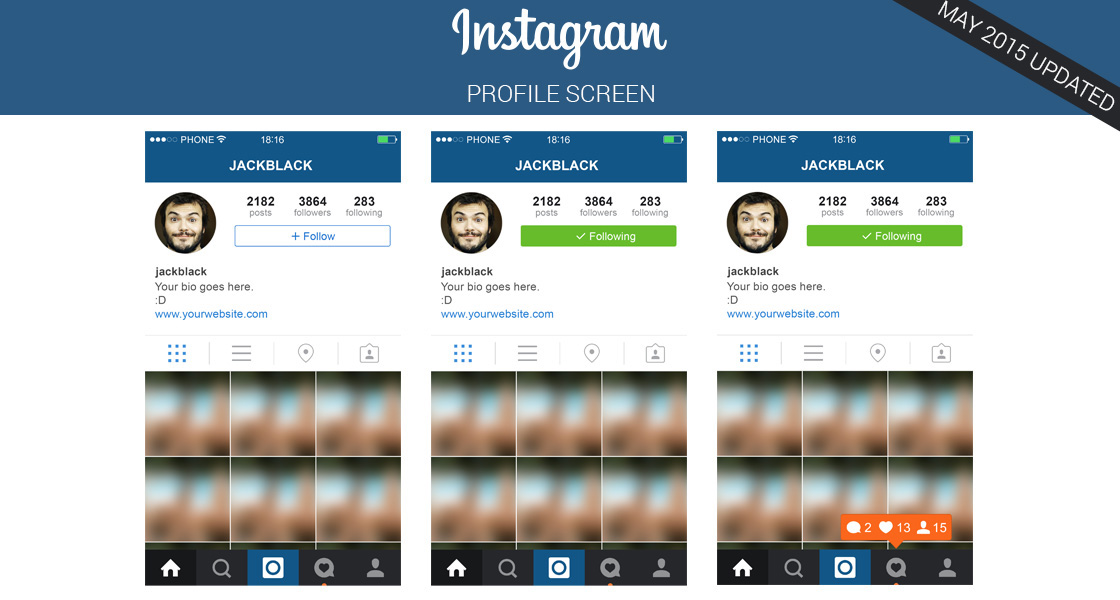
FREE | Instagram Profile Screen Layout PSD on Behance
Explore The Secrets Of Editing Profile For Instagram With CapCut
Explore the Secrets of Editing Profile for Instagram with CapCut
Instagram Profile Screen Redesign :: Behance

Instagram Profile Screen Redesign :: Behance
Instagram Profile Edit: Guide To Built-in Tool & 2 Alternatives
Instagram Profile Edit: Guide to Built-in Tool & 2 Alternatives
Instagram Profile Edit: Guide To Built-in Tool & 2 Alternatives
Instagram Profile Edit: Guide to Built-in Tool & 2 Alternatives
5 Great Tools To Edit Instagram Profile Pictures Like A Pro
5 Great Tools To Edit Instagram Profile Pictures Like A Pro